

You can set the time zone for a DataSet Job in Workbench. When the job is sent to Domo, all of the date-time data is based on the time zone you selected. American Daylight Savings is taken into account for time zones in Workbench. You apply a time zone to a DataSet using the Shift Date Timezone Transform.Documentation Index
Fetch the complete documentation index at: https://domoinc-jkreitzman-patch-1.mintlify.app/llms.txt
Use this file to discover all available pages before exploring further.
- In the Accounts pane, select the DataSet job in which you want to set the time zone.
- In the Transforms grouping in the Buttons toolbar at the top of the Workbench window, click Add New.
- In the Transform Type menu, select Shift Date Timezone then click Next.
- Click Finish. A Shift Date Timezone item is added under Transforms for this DataSet job.
- Click on the new Shift Date Timezone item under Transforms.
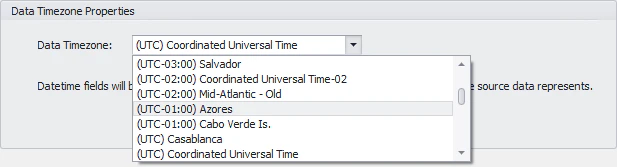
- In the Data Timezone menu, select the desired time zone.
- Click Save in the DataSet Jobs grouping in the Buttons toolbar at the top of the Workbench window.