

Documentation Index
Fetch the complete documentation index at: https://domoinc-jkreitzman-patch-1.mintlify.app/llms.txt
Use this file to discover all available pages before exploring further.
Intro
Domo has a new streamlined Federated connection setup experience for cloud native data warehouses, starting exclusively with Snowflake. You can directly setup a Snowflake connected account from Domo’s Data Center experience and use that to create Federated DataSets from your Snowflake database tables.Prerequisites
To connect to your data in your Snowflake data warehouse, you need standard connection parameters such as your Snowflake account name, warehouses, databases to connect to, and the username/password. In general, you can start with a small-sized warehouse, however, we recommend a multi-cluster configuration which allows Snowflake to auto-scale to additional warehouses as needed to support your query volume.Setup Process
-
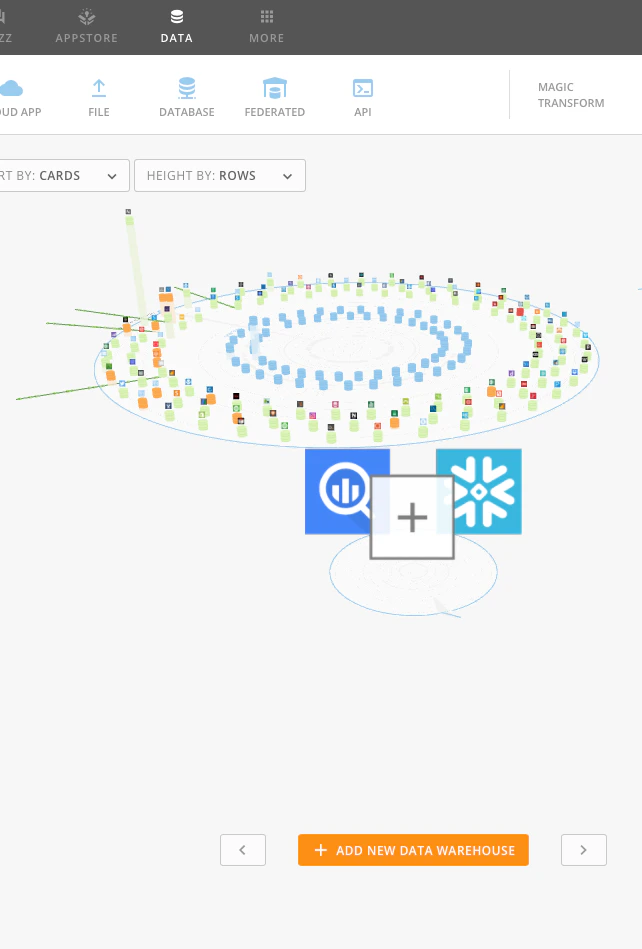
Start with Domo’s data warehouse platter visualization and click on the
+ Add New Data Warehouse button.
-
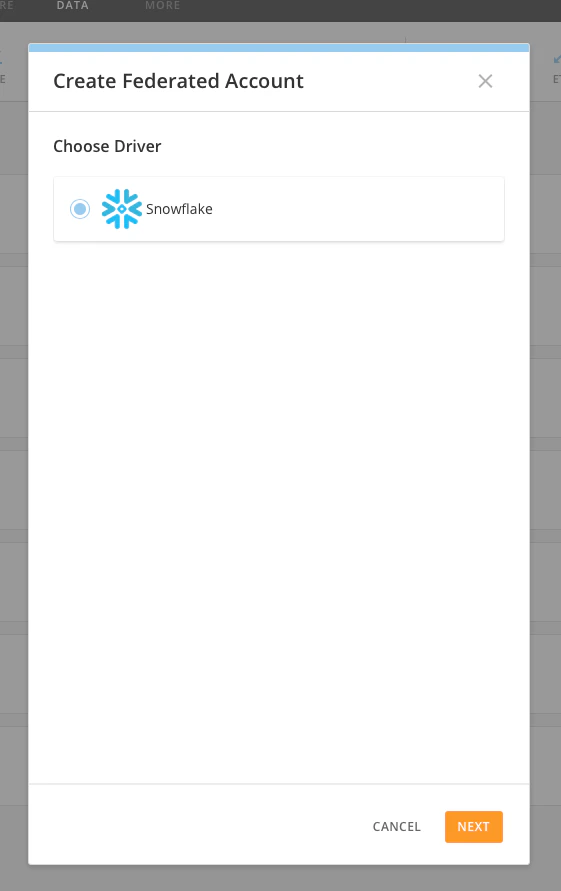
Select
Snowflake Driver and click Next.
-
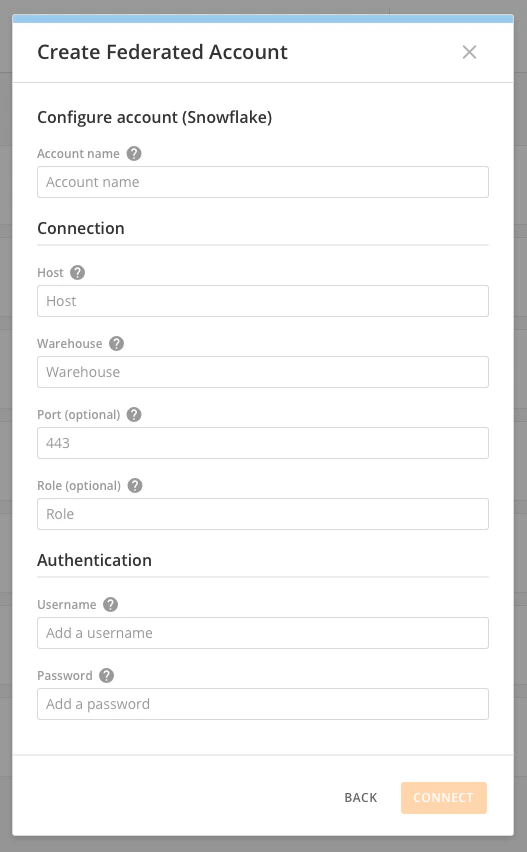
Enter your connection parameters specific to the Snowflake database you need to connect to. The following fields are required:
- Account Name (to reference within Domo.)
- Host – This is the Snowflake account name for your Snowflake account. Note that your full account name may include additional segments that identify the region and the cloud service provider where your Snowflake account is hosted e.g. xyz1234.us -east-1, xyz1234.west-europe.azure, etc. You need to provide your full hostname, e.g. yourcompany.snowflakecomputing.com
- Warehouse – Existing Snowflake warehouse you need want to use to send queries from Domo. We recommend setting a warehouse specific to Domo.
- Username – Snowflake username you want to connect with. We recommend creating a new user in your Snowflake account specifically to service Federated queries from Domo.
- Password – Password for your username.
-
Role and Port are optional depending on your Snowflake account setup.
-
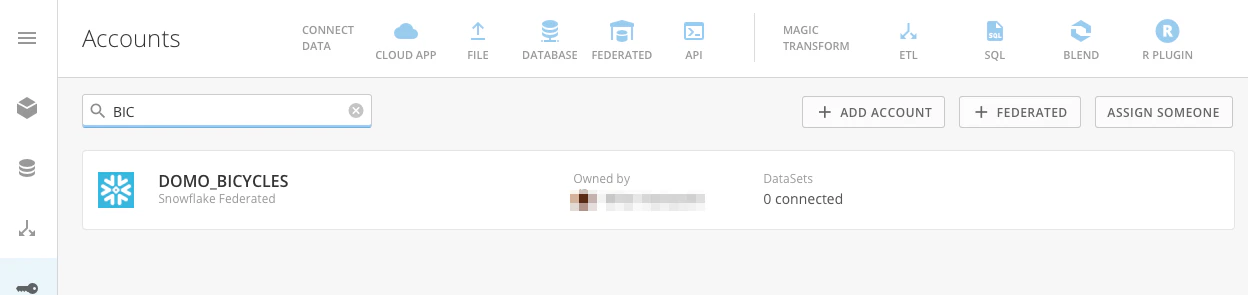
You should have a Snowflake federate account created now. Common errors are typically due to incorrect connection parameters. Please contact Support for any help needed.
-
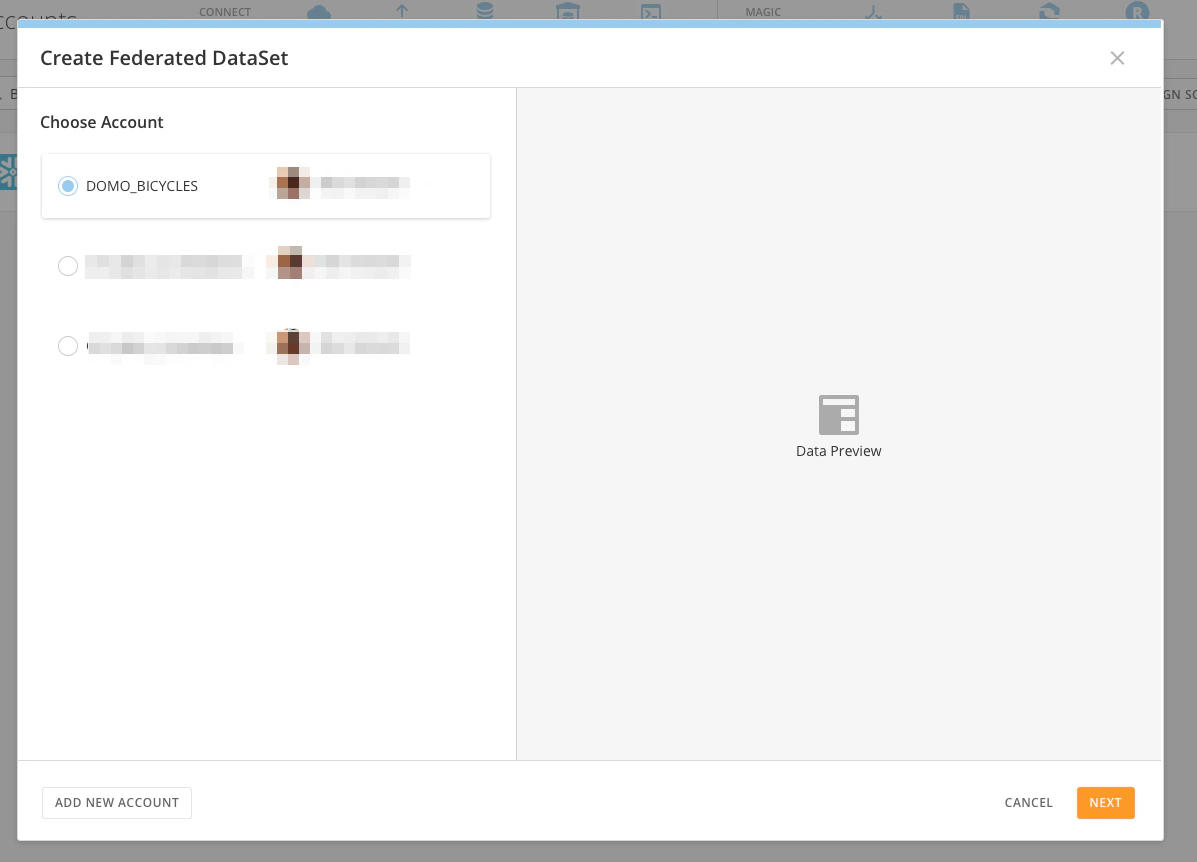
To create a new Federated DataSet, click on
Federated in the connect data section of the header in the Data Center.
-
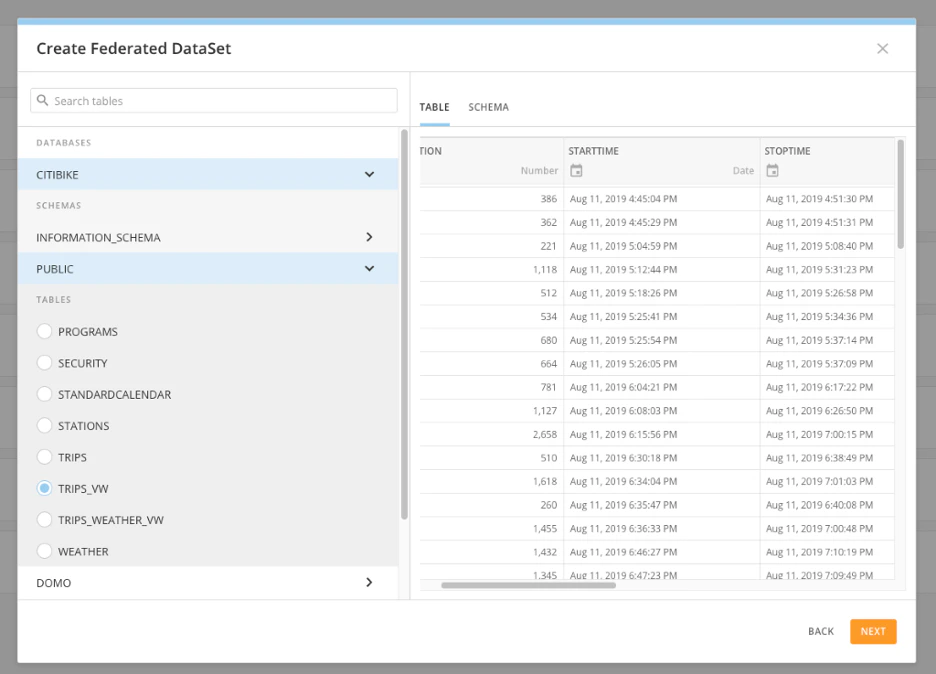
You will see a list of available databases in Snowflake, and you can choose the database and the specific table you want to create the Federated DataSet from. The Pane on the right shows you a preview of the data from your Snowflake table.
-
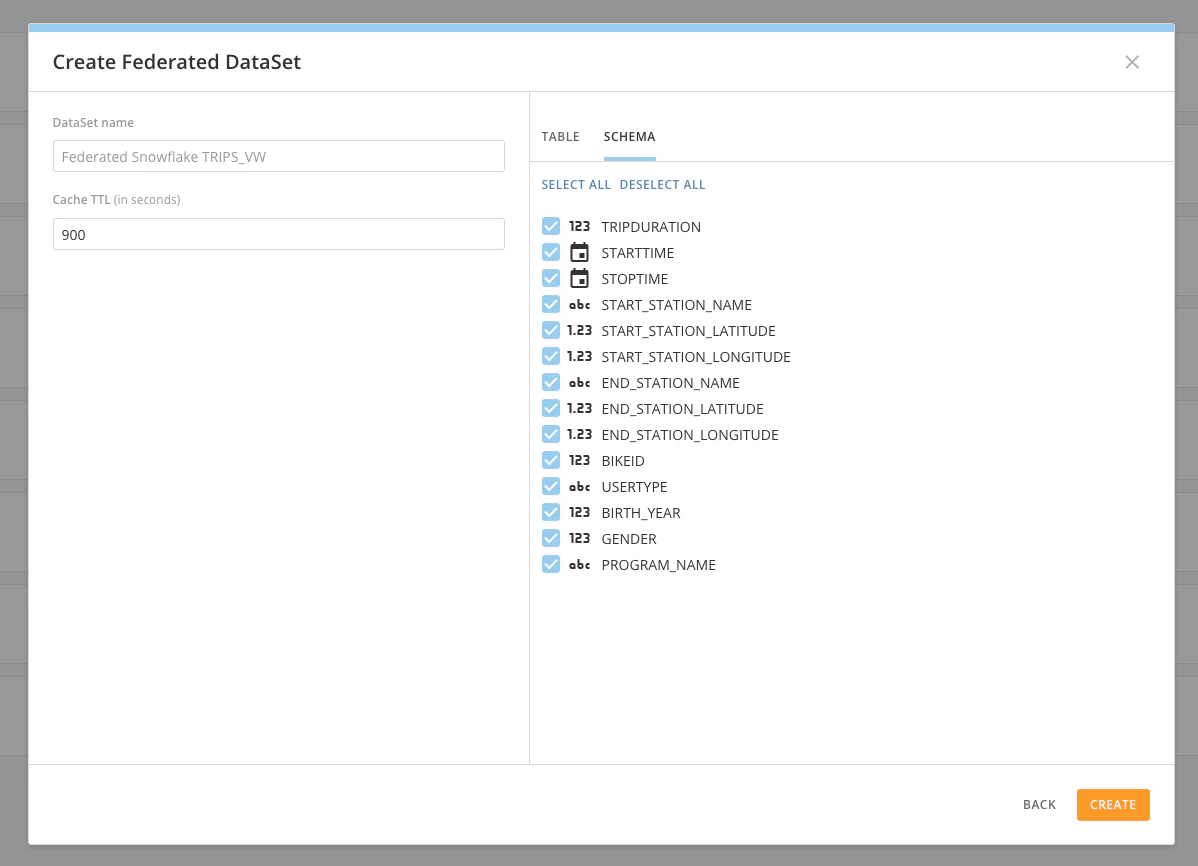
Enter the name for the DataSet (how you want to reference it in Domo), and you can optionally select a TTL for the cache. The default TTL value for cache is recommended at 900 seconds (15 minutes). If your Snowflake database table is expected to update faster than 15 minutes then you can choose a lower TTL.
On the preview pane on the right, you can also toggle between viewing a preview of the data or viewing the schema of the table being used. Click the Create button to complete your Domo Federated DataSet creation.
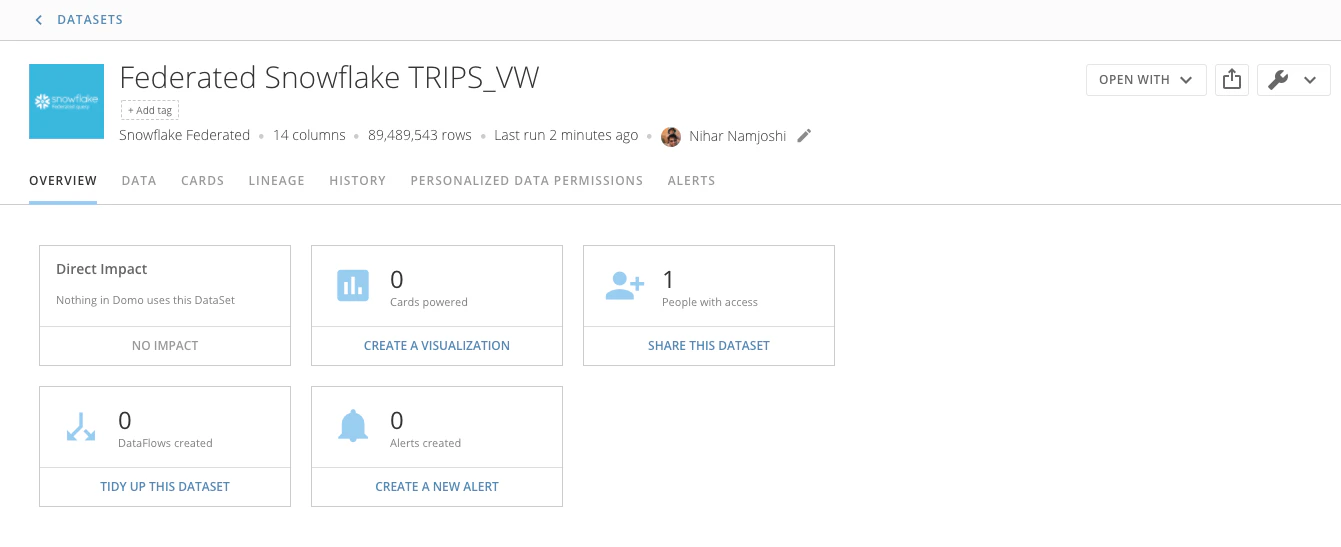
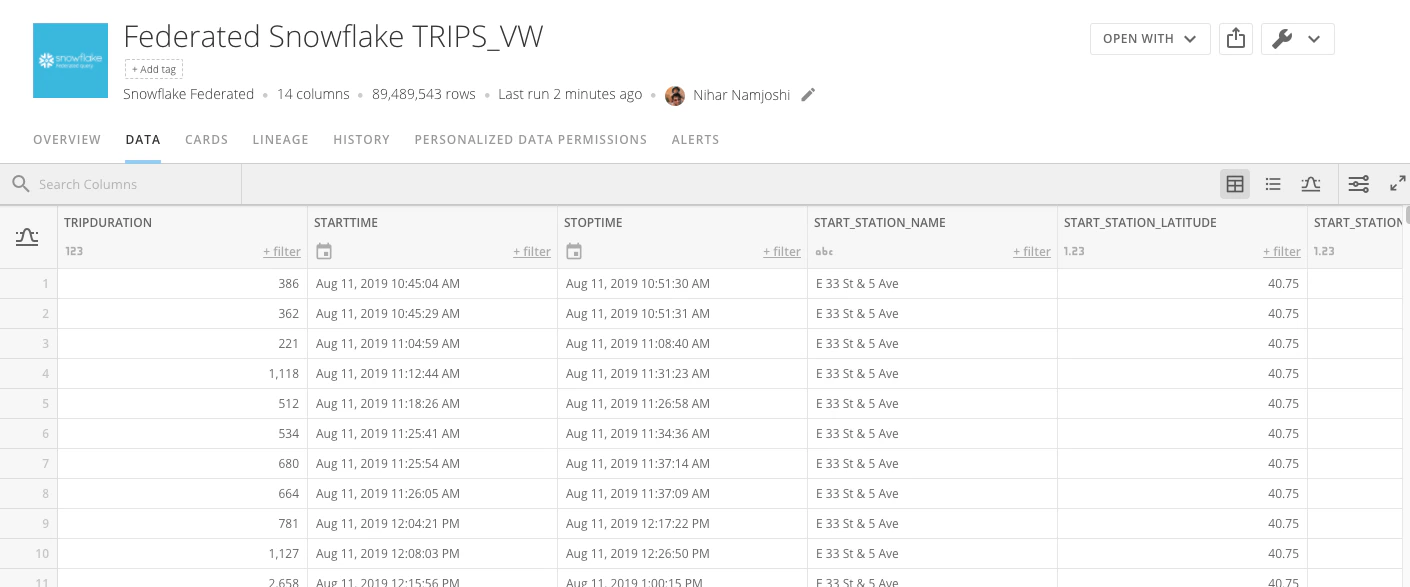
- You now have a DataSet created in Domo from your Snowflake data! You can create Cards using Analyzer from this DataSet, but ETL, SQL DataFlows and DataSet Alerts are not available to operate on Federated DataSets.
FAQ
What connection mechanism is Domo using for the Snowflake Federated direct queries?
What connection mechanism is Domo using for the Snowflake Federated direct queries?
Can Domo's Connectors be used to bring data into the Snowflake warehouse?
Can Domo's Connectors be used to bring data into the Snowflake warehouse?
Is there a limit on how many Snowflake Federated accounts and DataSets you can create?
Is there a limit on how many Snowflake Federated accounts and DataSets you can create?
What is the warehouse sizing guidance for using Domo Federated queries for Snowflake?
What is the warehouse sizing guidance for using Domo Federated queries for Snowflake?
Do Alerts work with federated data?
Do Alerts work with federated data?
Does Domo's DataSet Views Explorer work on Snowflake Federated DataSets?
Does Domo's DataSet Views Explorer work on Snowflake Federated DataSets?
Can Domo's ETL and SQL tools be used to transform federated DataSets?
Can Domo's ETL and SQL tools be used to transform federated DataSets?
What does the last run time on a Snowflake Federated DataSet represent?
What does the last run time on a Snowflake Federated DataSet represent?
What is the timeout for loading data from Snowflake?
What is the timeout for loading data from Snowflake?
- If a card cannot be rendered within the Domo timeout, an error message is displayed on-screen, but the Snowflake query is not canceled. That query is then subject to the timeout defined in Snowflake.
- If a card cannot be rendered within the Snowflake timeout, and that timeout is less than the Domo timeout, an error message is displayed on-screen and the query is canceled (from the Snowflake side).
- Cards will attempt to render on-screen for up to 1-minute.
- Exports, both from cards and DataSets, will attempt to export for up to 12-hours.