

Documentation Index
Fetch the complete documentation index at: https://domoinc-jkreitzman-patch-1.mintlify.app/llms.txt
Use this file to discover all available pages before exploring further.
Intro
Sometimes you need to update an Upsert Job to Replace. Follow these simple steps to update:-
Un-protect the DataSet.
-
For newer versions of Workbench 5.
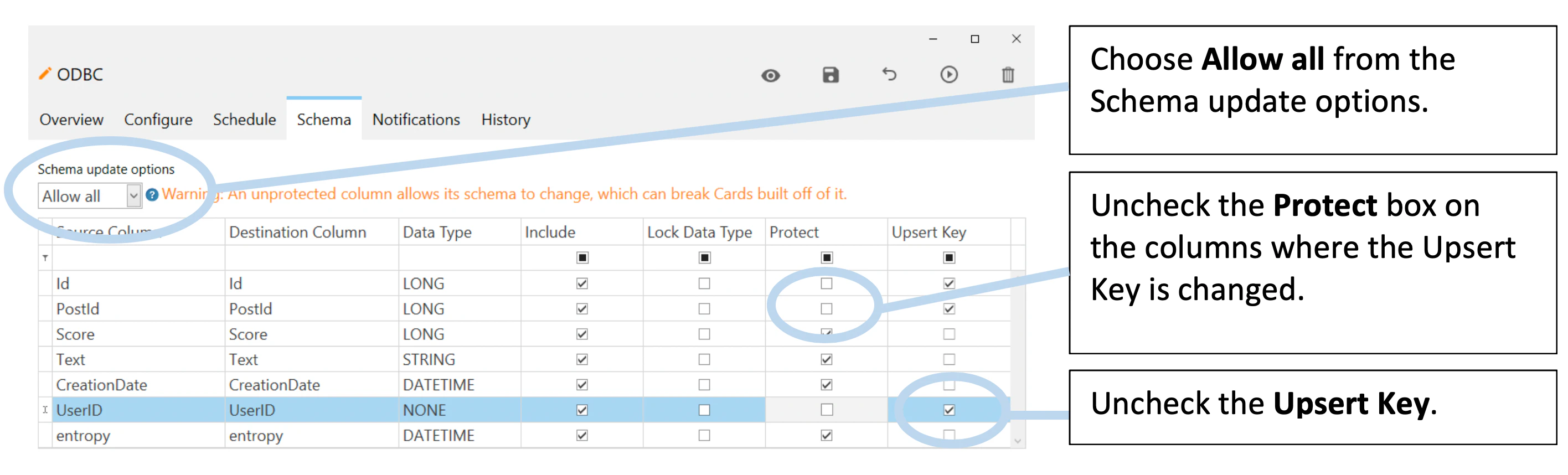
-
For older versions of Workbench 5.
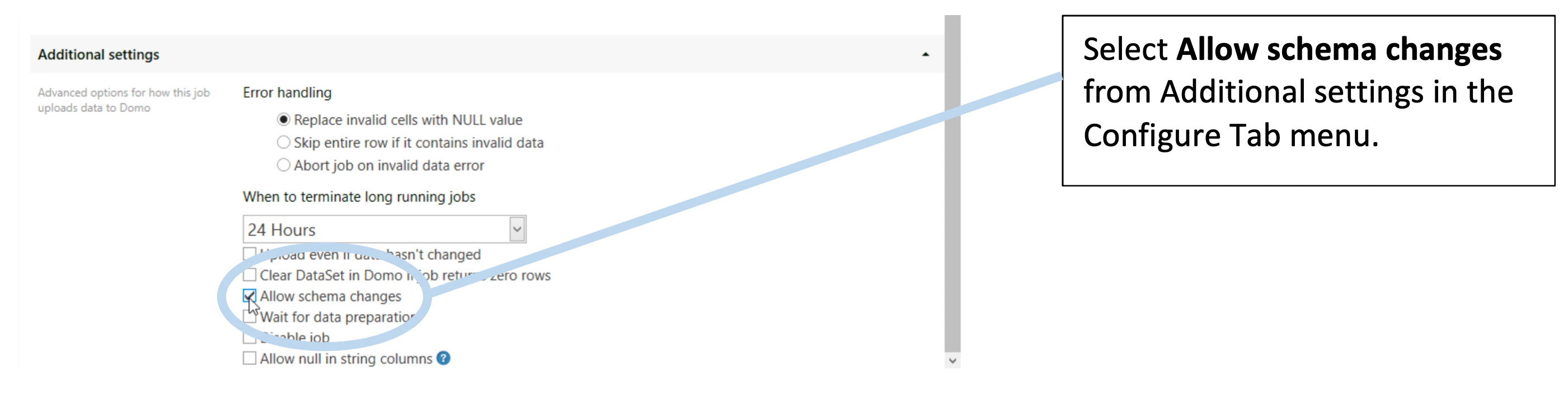
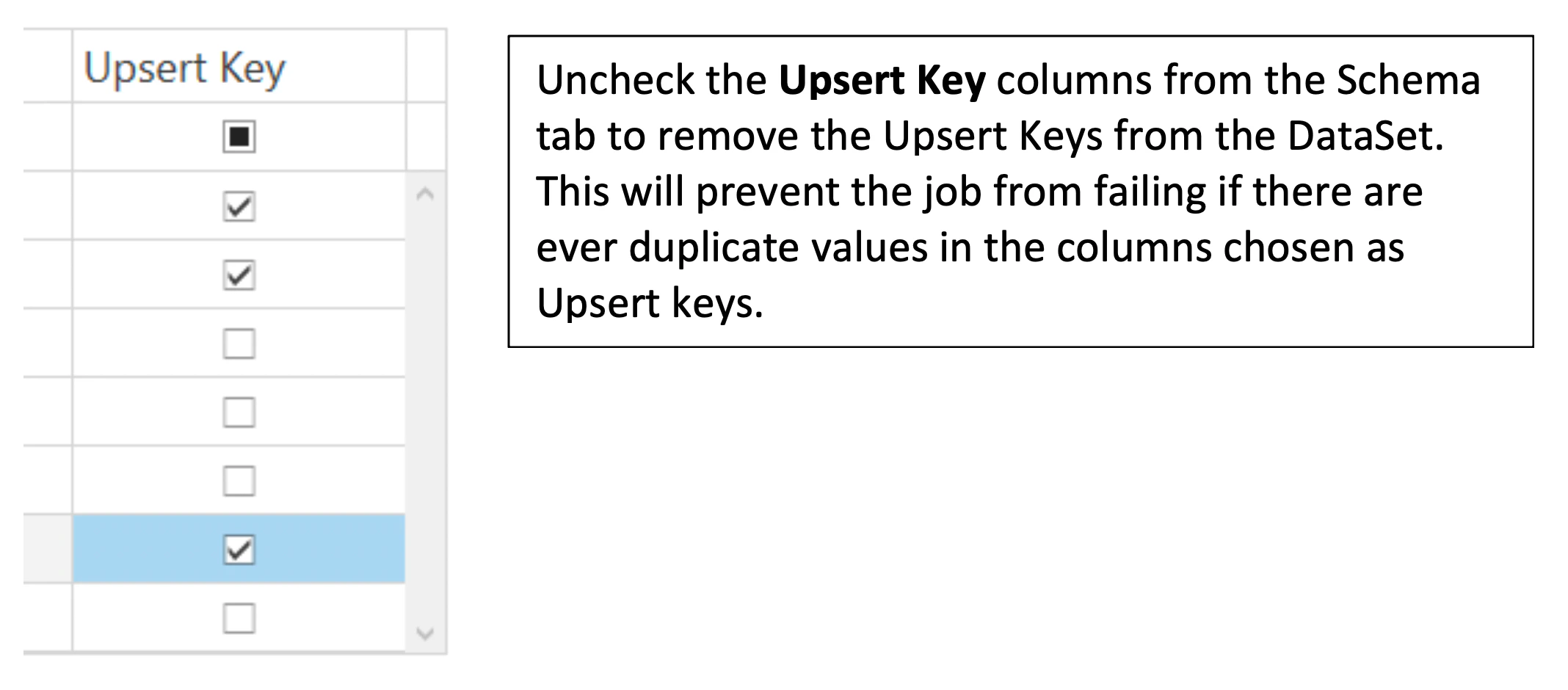
-
For newer versions of Workbench 5.
-
Update the job to Replace.
In the Configure Tab, change the Update method to Replace.
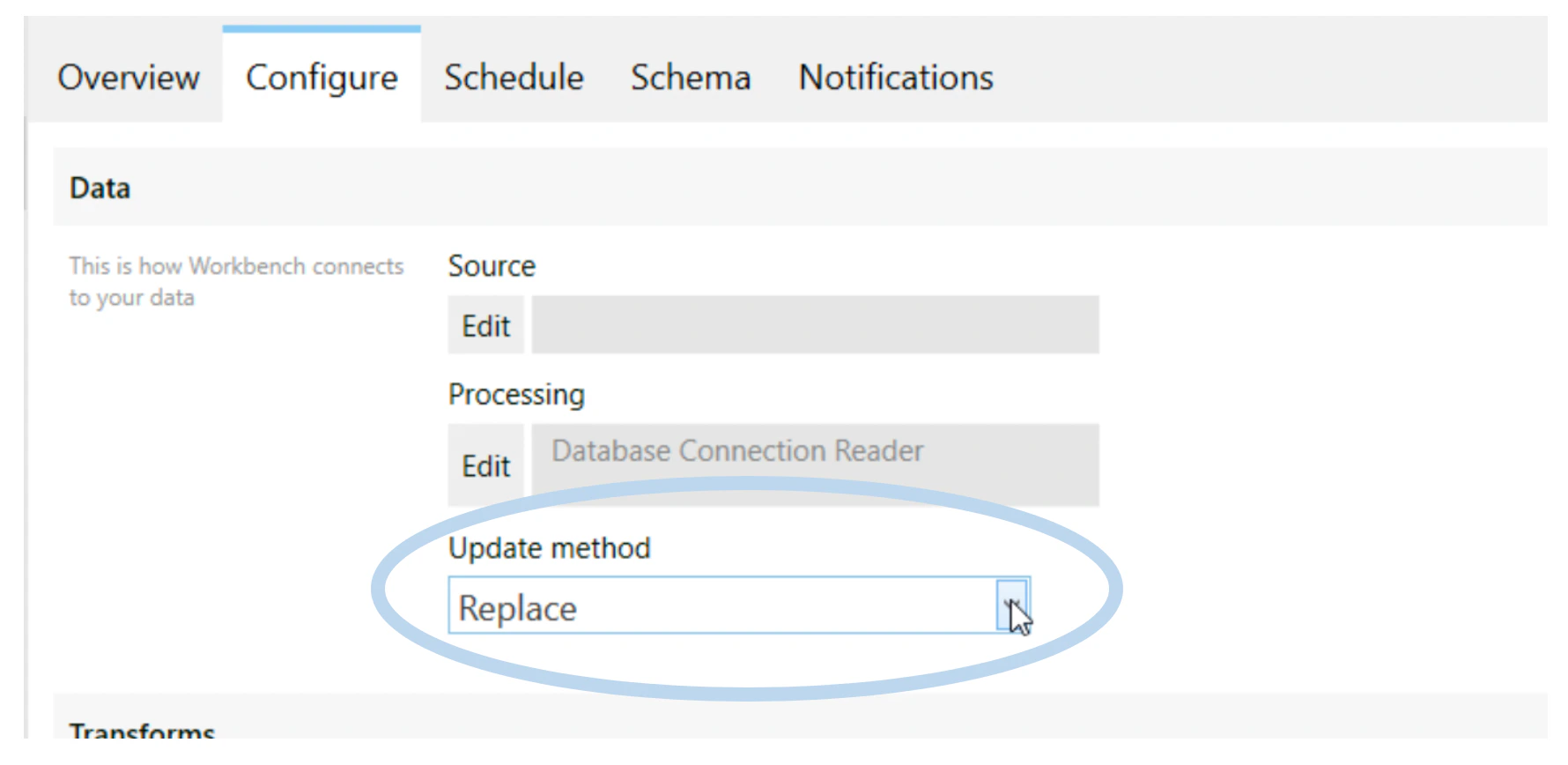
- Run the job. Once the DataSet has been updated to Replace, run the job.
-
Re-protecting Columns
To protect columns from future changes:
- For newer versions of Workbench 5: Re-protect the columns in the Schema tab and update the Schema Update options to your desired preferences.
- For older versions of Workbench 5: Uncheck Allow changes.